
How to use your own AI provider with Odoo forms: generate a first draft from a prompt, and give every answer a summary, a category, sentiment and urgency, without sending personal data to the model.
- Generate a first draft of a form from one sentence, then edit it.
- Every answer gets a summary, a category, sentiment and urgency.
- Personal data stays in Odoo unless an administrator allows it.
Forms create two kinds of work. Before launch, someone builds the form from a blank page. After launch, someone reads every answer to decide who should handle it. AI is good at both, as long as it stays a helper that a person checks.
Before: from a sentence to a draft
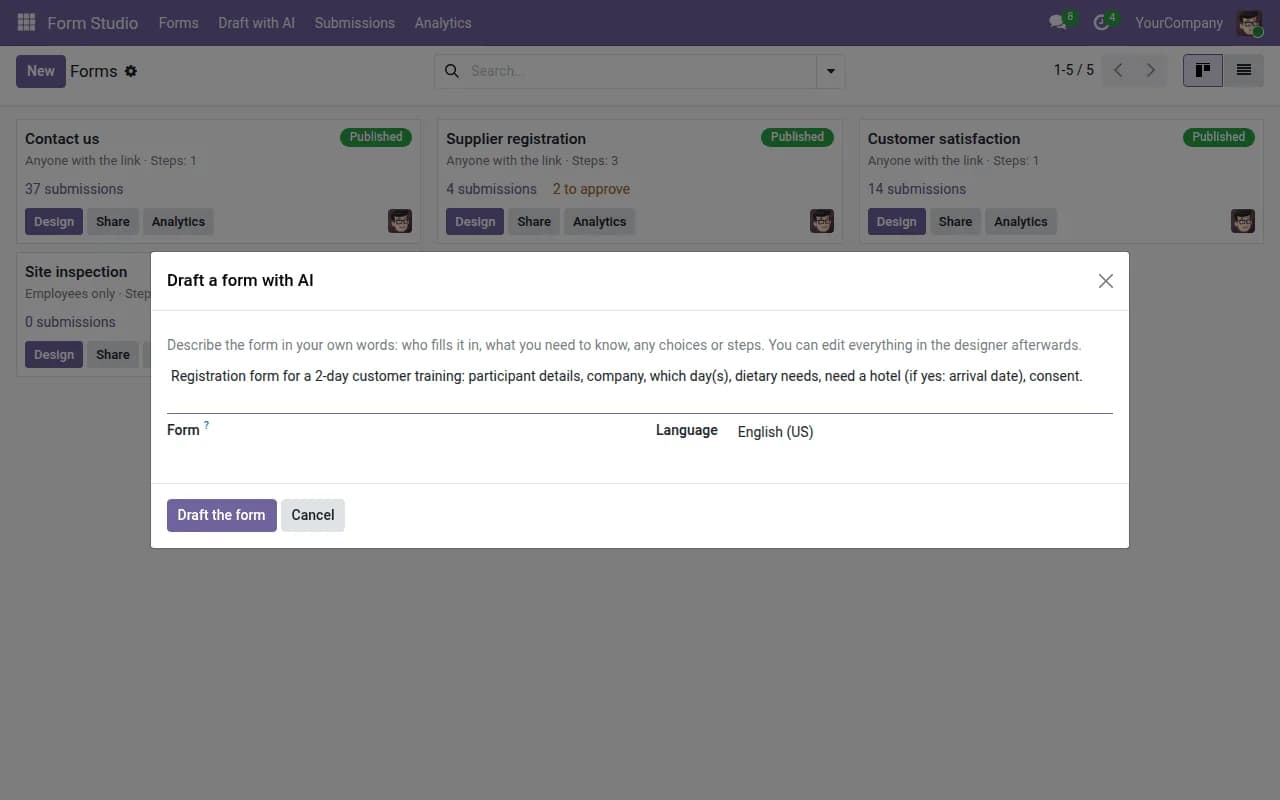
Describe the form in plain words, for example a service request form for a repair workshop, and get a draft with questions, choice lists, steps and show-when conditions. The draft opens in the form designer, where you edit it as usual. You can start a new form, add the draft to an existing one, or replace its questions.
After: four labels on every answer
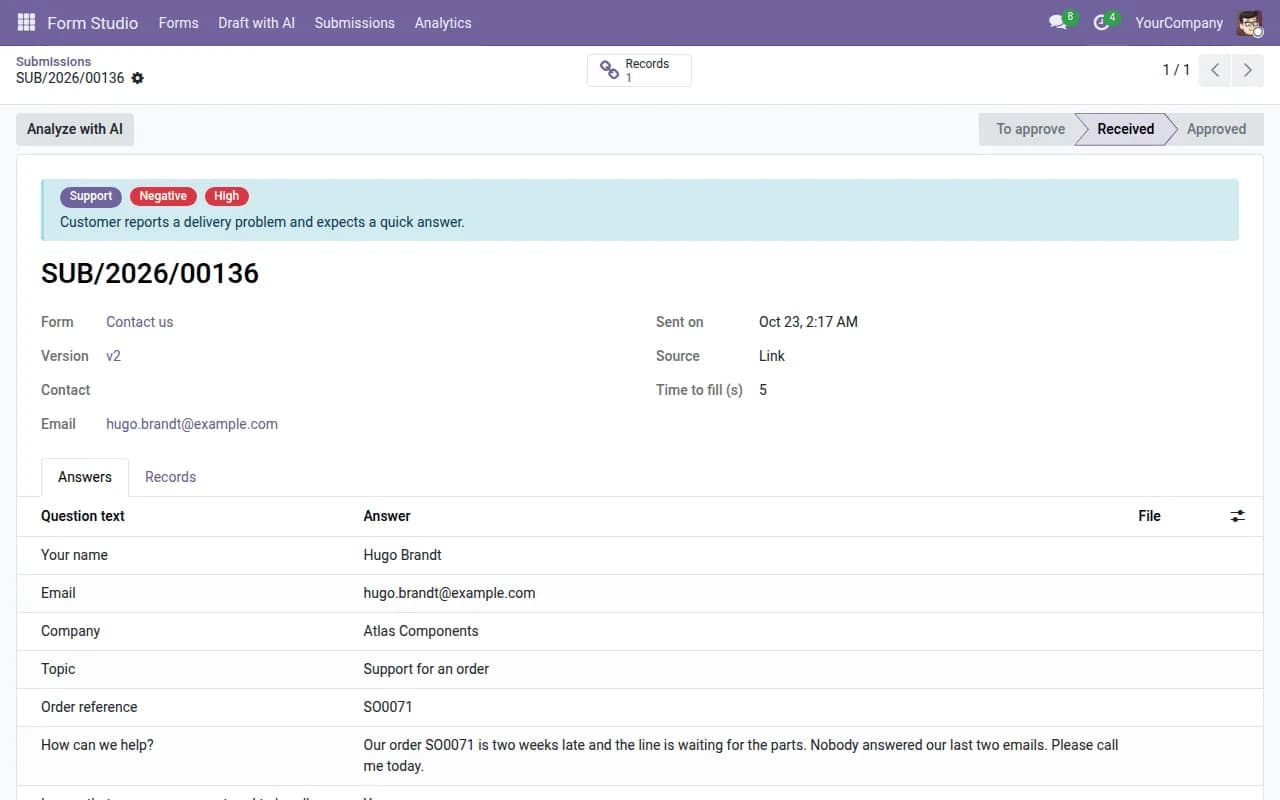
- A summary of one or two sentences at the top of the record.
- A category chosen from your own list, for example Sales, Support, Complaint or Spam.
- Sentiment: positive, neutral or negative.
- Urgency: low, normal or high.
These become filters and groups. An urgent, negative answer can be found in one click instead of waiting in the queue.
Insights across many answers
One click turns the latest answers of a form into recurring themes with their share and practical suggestions. It is a way to see the pattern behind a hundred messages.
Keep personal data out of the prompt
A form often contains an email address, a phone number, files or a signature. Those should not be sent to an AI provider by default. In our setup, email, phone, hidden values, files and signatures stay in Odoo, and personal data is sent only if an administrator turns on an explicit switch.
Your provider, your key, your budget
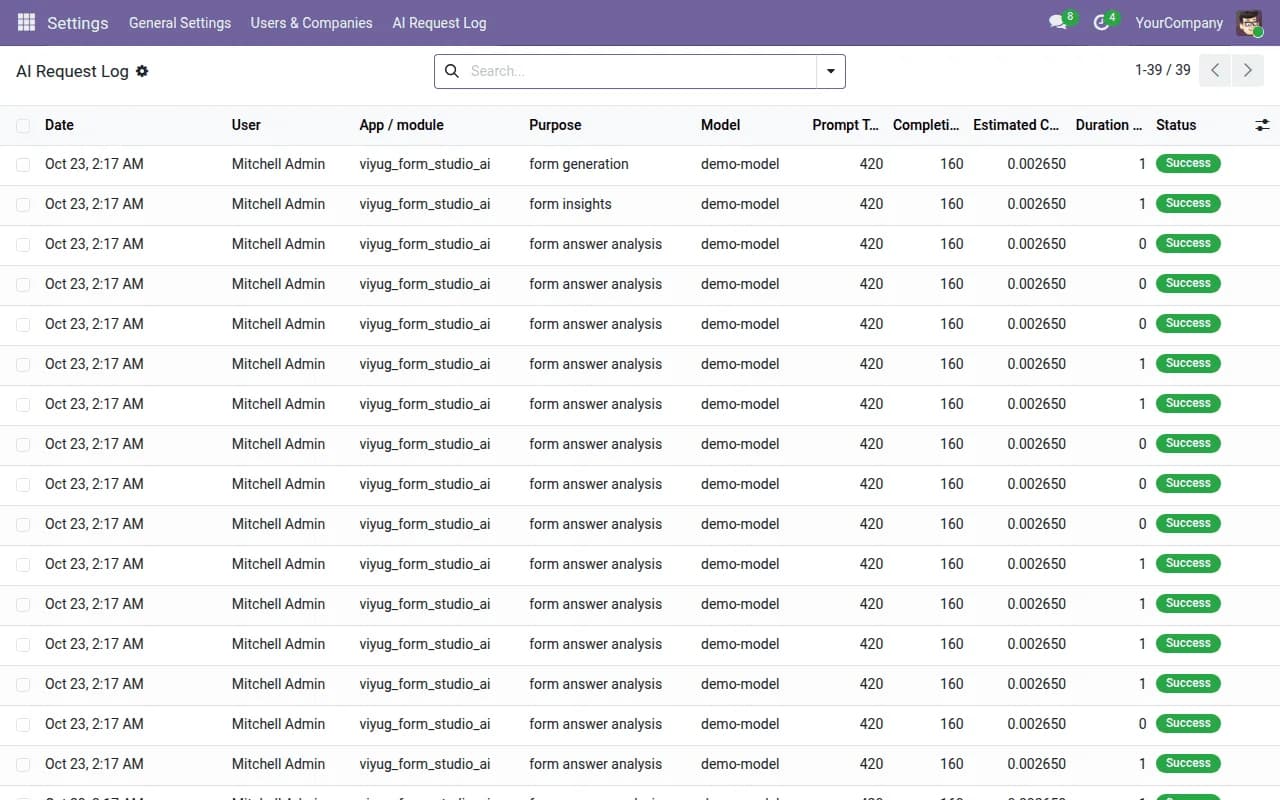
The app works with OpenAI, Anthropic Claude, Azure OpenAI or any compatible endpoint, using your own key. There is a monthly budget and a log of every request, so cost is visible and no per-document credit pack is involved.
Do not let it decide alone
Treat each label as a proposal. A category can be changed by the person handling the answer, and automatic analysis can be turned on per form, running in the background a few minutes after the answer arrives so the visitor never waits.
Form Studio AI is an add-on for Form Studio, our drag and drop form builder for Odoo with multi-step forms, record mapping and approvals.
Frequently asked questions
Which AI providers are supported?
OpenAI, Anthropic Claude, Azure OpenAI or any compatible endpoint, with your own key.
Do we need to buy credits?
No. You use your own provider key, with a monthly budget and a request log.
Does it need Form Studio?
Yes. Form Studio AI is an add-on for Form Studio.