
Orders are the easy part. Refunds, partial fulfilments, gateway fees, stock per location and payouts are where most Shopify to Odoo connections quietly drift.
- Test refunds, partial fulfilments and payouts before you trust a sync, not just new orders.
- Webhooks need a polling fallback, or missed messages become missing orders.
- Payout reconciliation is what saves the accountant hours every week.
Connecting Shopify to Odoo looks simple on day one: an order is placed, a sale order appears. The trouble starts a month later, when the accountant cannot match a bank payout to the invoices, the warehouse oversells a size, and a refund exists in Shopify but not in Odoo.
If you are choosing or building a connection, these are the cases to test before you trust it.
1. Orders must arrive once, even when messages arrive twice
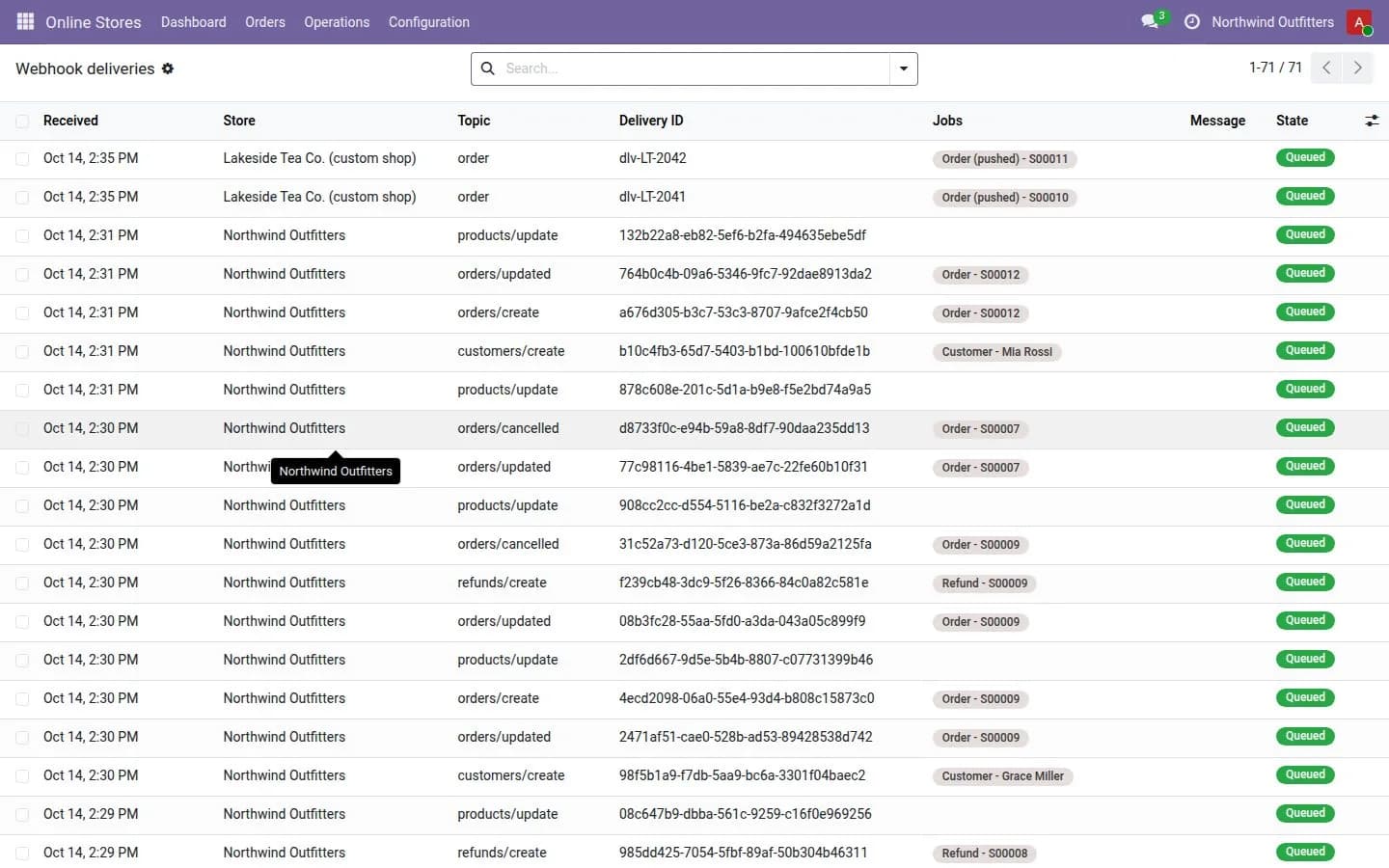
Shopify sends webhooks, and sometimes sends the same one again, or late, or not at all. A reliable connector verifies the webhook signature, does not process the same order twice, and polls as a fallback in case a webhook is missed. Without this, you get duplicate sale orders or silent gaps.
2. Money has more lines than the product price
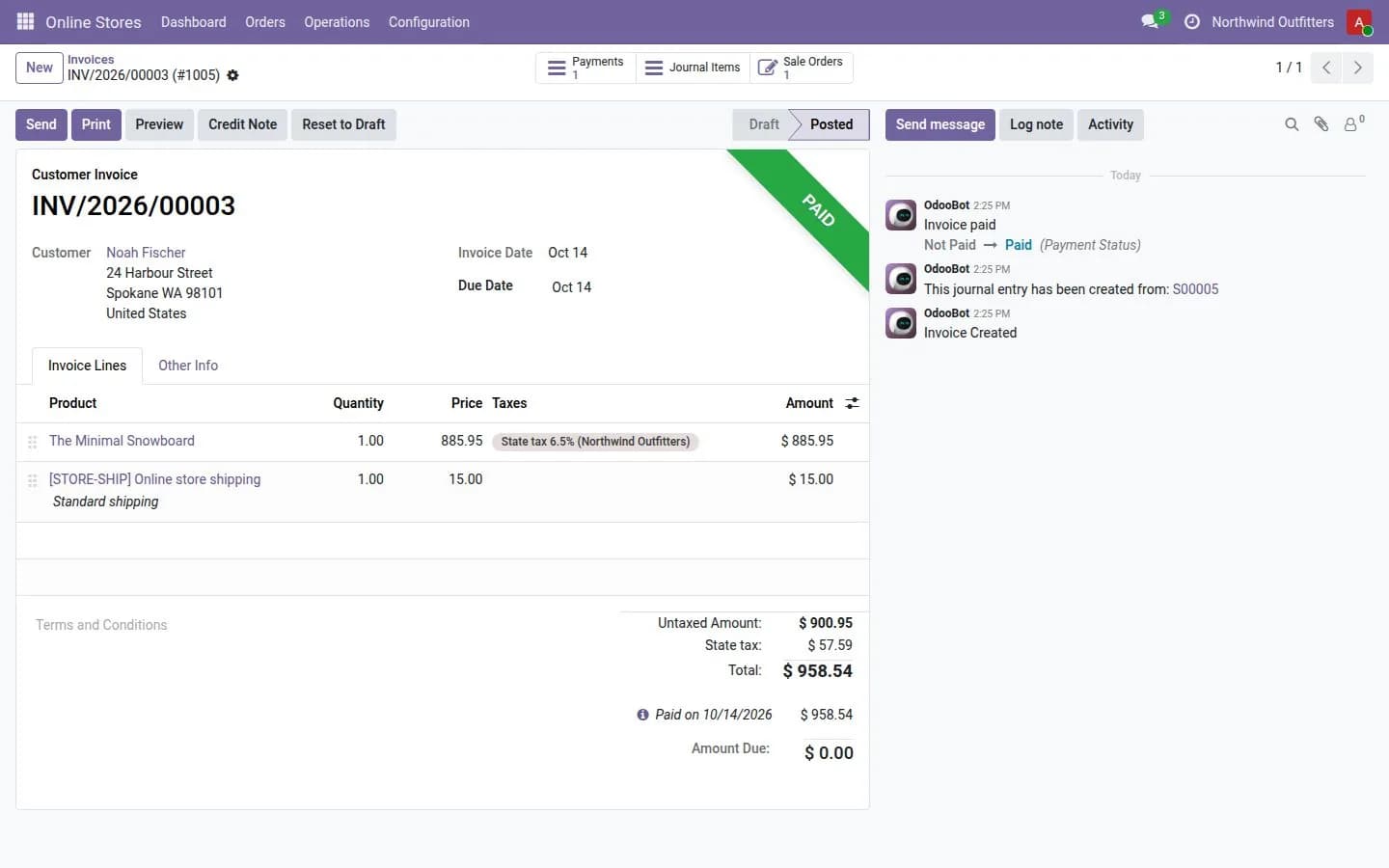
A paid order has shipping, discounts, taxes and the fee the payment gateway keeps. The connector should turn these into invoice lines, payments per gateway and a fee entry, so the bank statement can be reconciled against what Shopify actually paid out.
3. Stock goes both ways, per location
Odoo is usually the source of truth for stock. Levels should be pushed to the right Shopify location, and fulfilments, with the tracking number, should flow back so the customer gets the shipping email from Shopify.
4. Refunds and cancellations
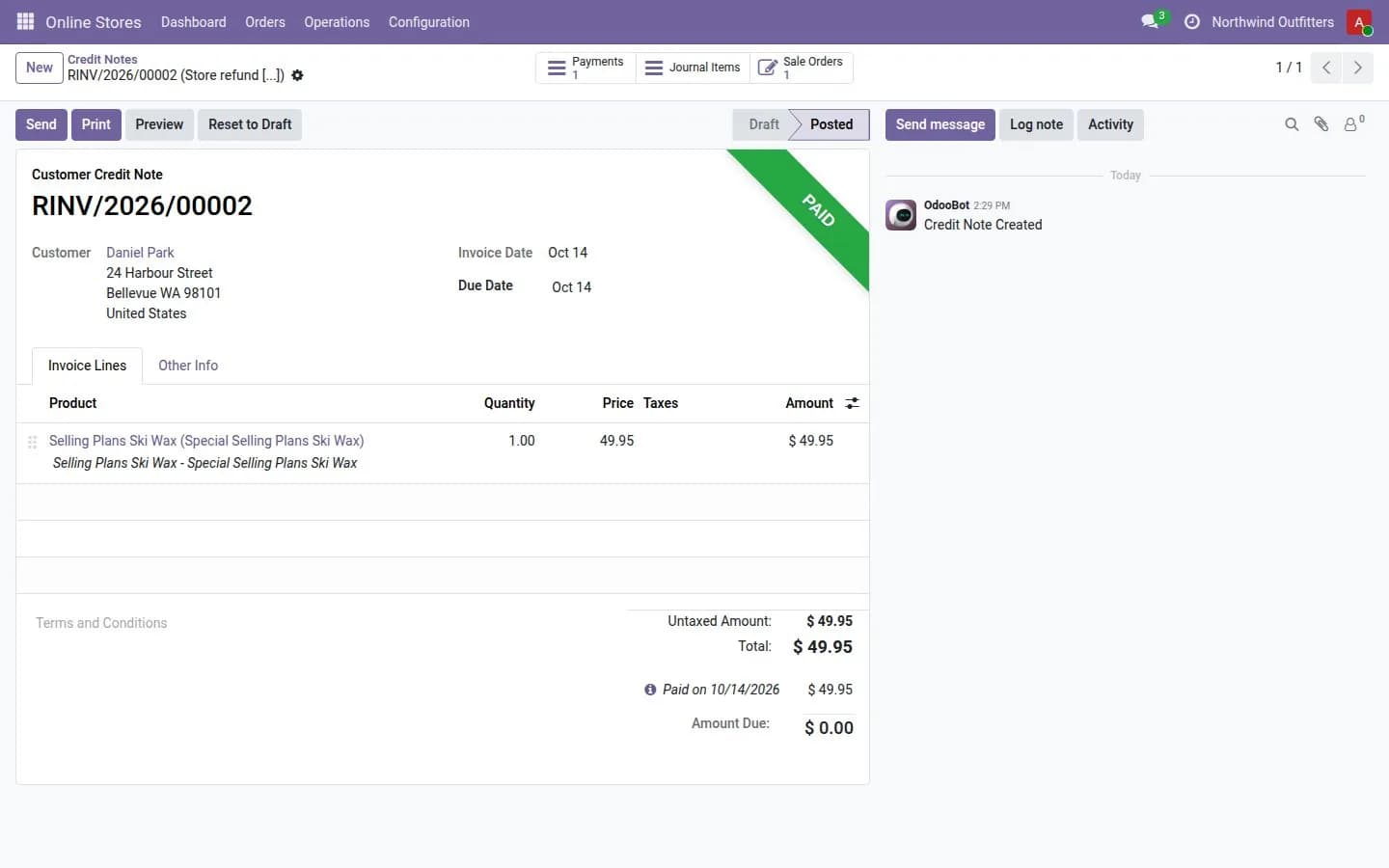
A refund in Shopify should become a credit note and, if goods come back, a return in Odoo. A cancellation before shipping should release the reserved stock. These are the cases people forget to test.
5. Large catalogues need bulk operations
Pushing thousands of products one by one hits Shopify's rate limits. The GraphQL Admin API has bulk operations for exactly this, and a connector for a big catalogue should use them.
6. Payouts, the part accountants ask about
Shopify pays out in batches that combine many orders, minus fees and refunds. Reconciling a payout against its orders turns a lump of money in the bank into matched invoices. If your connector does not do this, someone does it by hand every week.
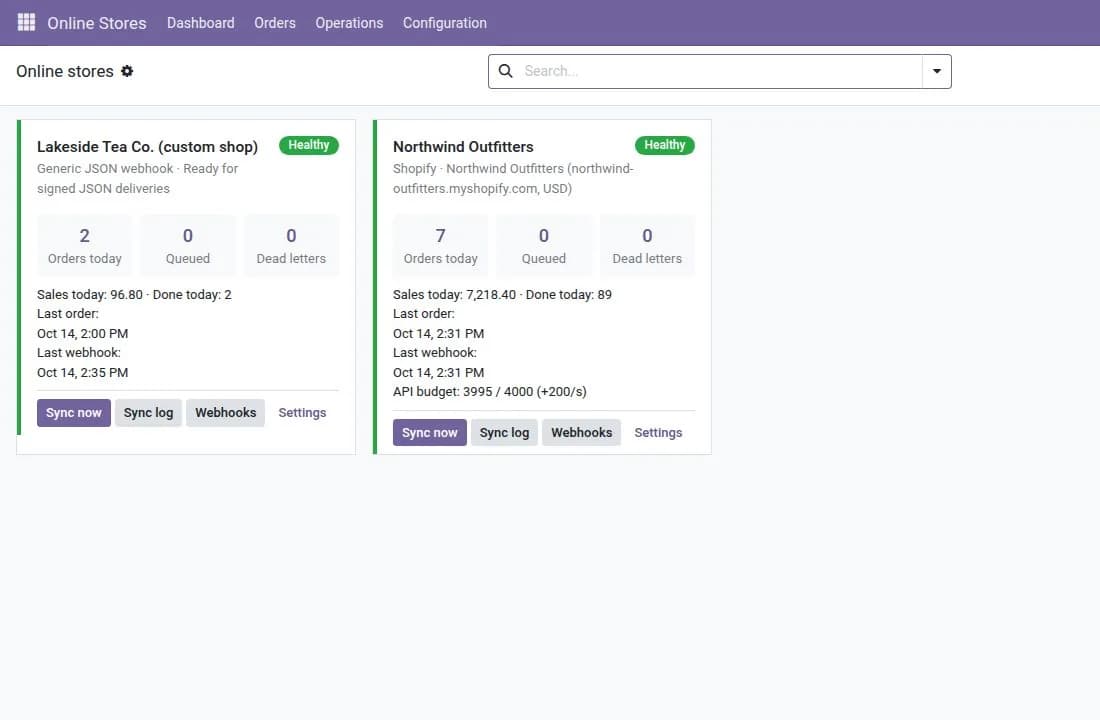
Our Shopify Connector works on the GraphQL Admin API: real-time order webhooks with a polling fallback, sale orders, invoices, payments and gateway fees, stock per location, fulfilments with tracking, refunds to credit notes and returns, bulk operations for large catalogues, payout reconciliation, multi-store and multi-currency. If you also sell on WooCommerce, the Commerce Hub is the engine underneath, so both stores share the same mappings, retrying queue and health dashboard.
A quick test for any connector: place an order, partially fulfil it, refund one line, and compare Odoo with the Shopify payout. If everything matches, you can stop checking.
Frequently asked questions
Which Shopify API does the connector use?
The GraphQL Admin API, including bulk operations for large catalogues.
Can one Odoo database connect several Shopify stores?
Yes. It supports multiple stores and multiple currencies.
What happens when a sync fails?
Failed jobs are retried by the queue. Jobs that keep failing go to a dead letter list, where they can be reviewed and retried.