How a contractor can follow budget, committed and actual cost per project, pay subcontractors by measured quantity and certify running account bills, all in one Odoo database.
- Track committed cost, not only actual cost: approved orders are money already promised.
- Pay subcontractors from measured quantities recorded on the bill, locked once certified.
- Retention, advance recovery and back-charges are calculated on the same RA bill.
Most contractors we talk to run the same loop. The estimate lives in a spreadsheet, site purchases are noted in a diary, subcontractor bills are checked against a measurement sheet, and the project manager finds out about a cost overrun when the monthly accounts arrive. By then the concrete is poured.
Odoo already has projects, purchasing and accounting. What a contractor misses is the glue: the bill of quantities, the measured work and the running account bill. This is how we wire those together in the Construction Management Suite.
Start with the BOQ, not the invoice
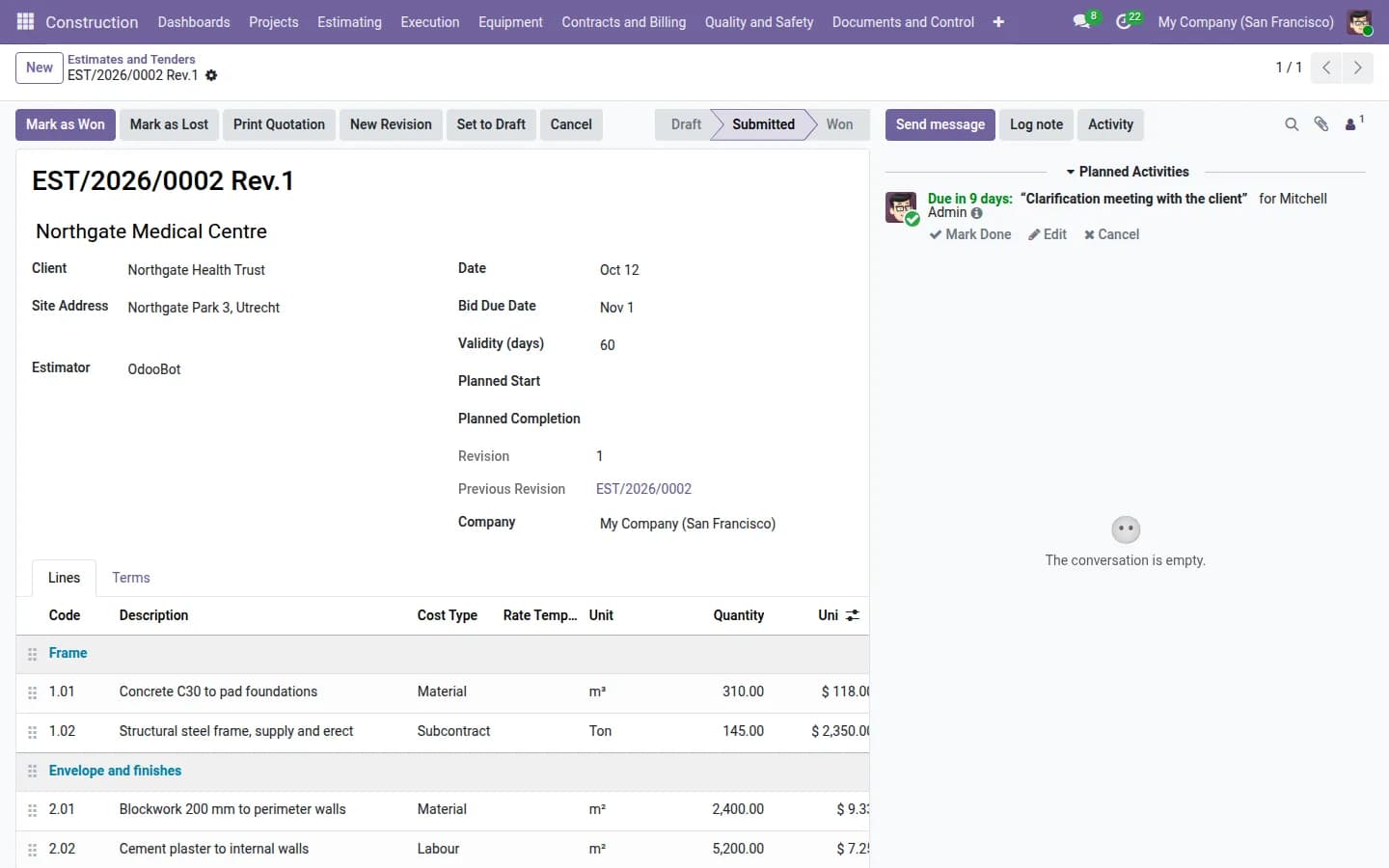
Cost control starts when the tender is priced. The estimate holds the BOQ items with rate analysis, so every rate is built from materials, labour and equipment, and the BOQ is split into WBS phases. From then on every purchase and every bill can be compared with a number someone signed off.
Watch three figures, not one
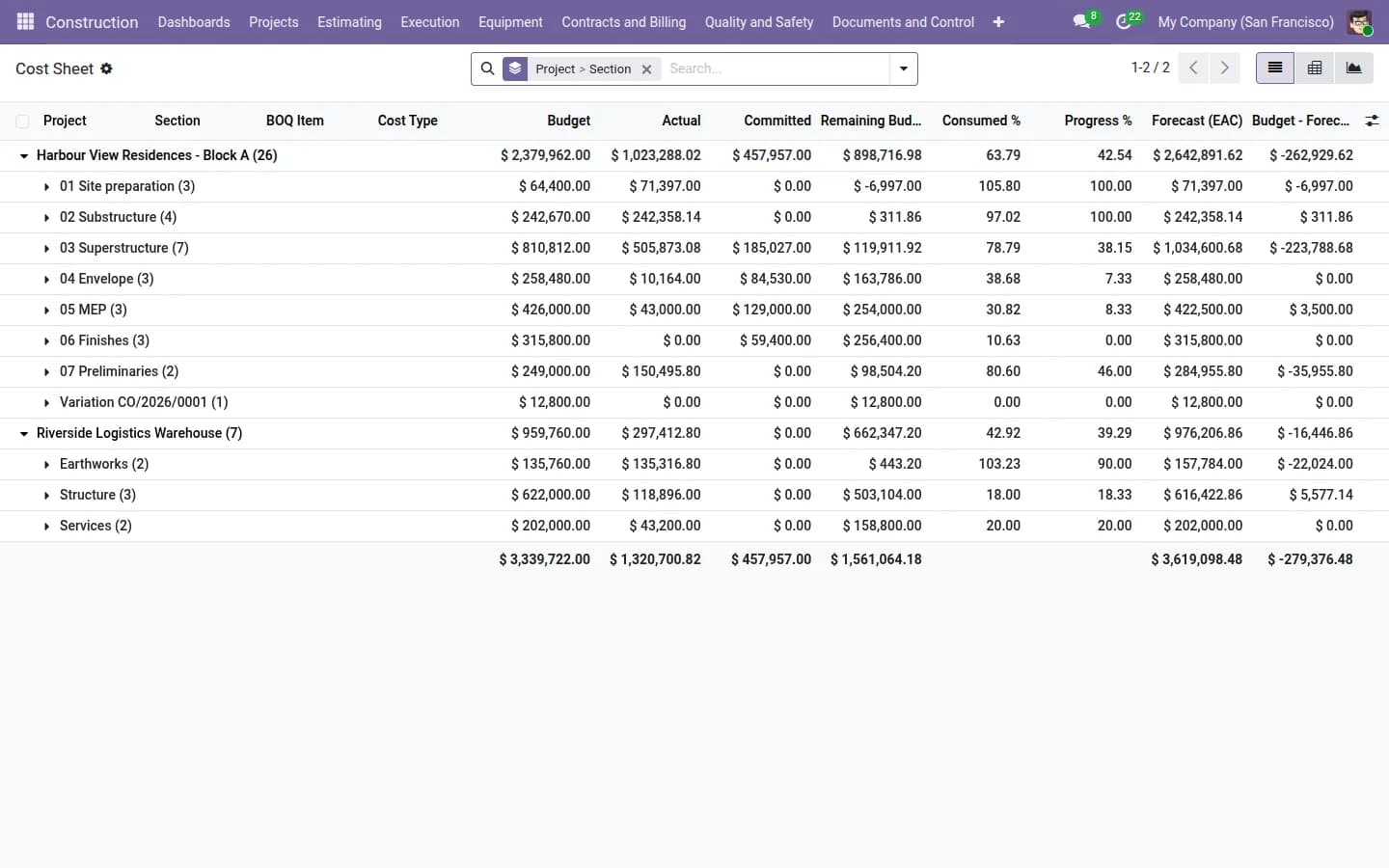
Actual cost alone is a rear-view mirror. A purchase order that is approved but not yet billed is money you have already promised. For each project, the dashboards show:
- Budget: what the BOQ allows for the item or phase.
- Committed: purchase orders and subcontract work orders already issued.
- Actual: what has been invoiced and booked.
- Earned value: CPI, SPI and the estimate at completion (EAC), so you see the forecast, not only the past.
A project that is 80% spent but only 60% complete shows up in the CPI long before the final account.
Pay subcontractors by what was measured
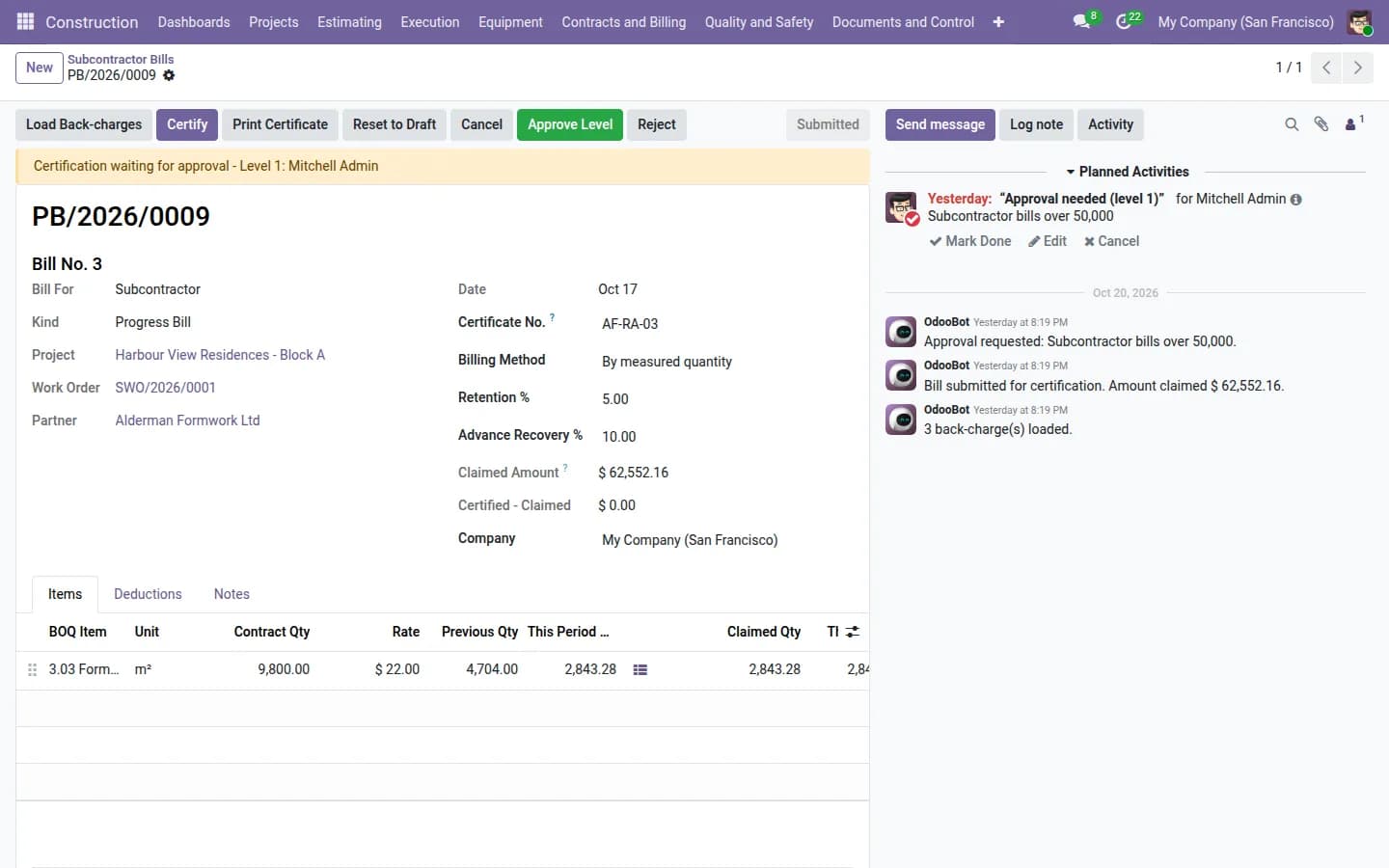
A subcontractor bill can be raised by percentage complete or by measured quantity. With measured quantity, the engineer records the measurements on the bill line: a description such as "Level 3 slab, grid A-C", then number, length, breadth and height. Odoo multiplies them into a quantity, and the bill takes the total. Once the bill is certified, the measurements are locked, so the book still matches what was paid.
Retention, advances and back-charges on the same bill
A running account bill is not just quantity times rate. The suite deducts retention, recovers the advance given to the subcontractor, and applies back-charges for things like material you issued to them or defects found at inspection. The net amount is calculated on the certificate, and a retention ledger tracks what you still hold.
What changes for the site team
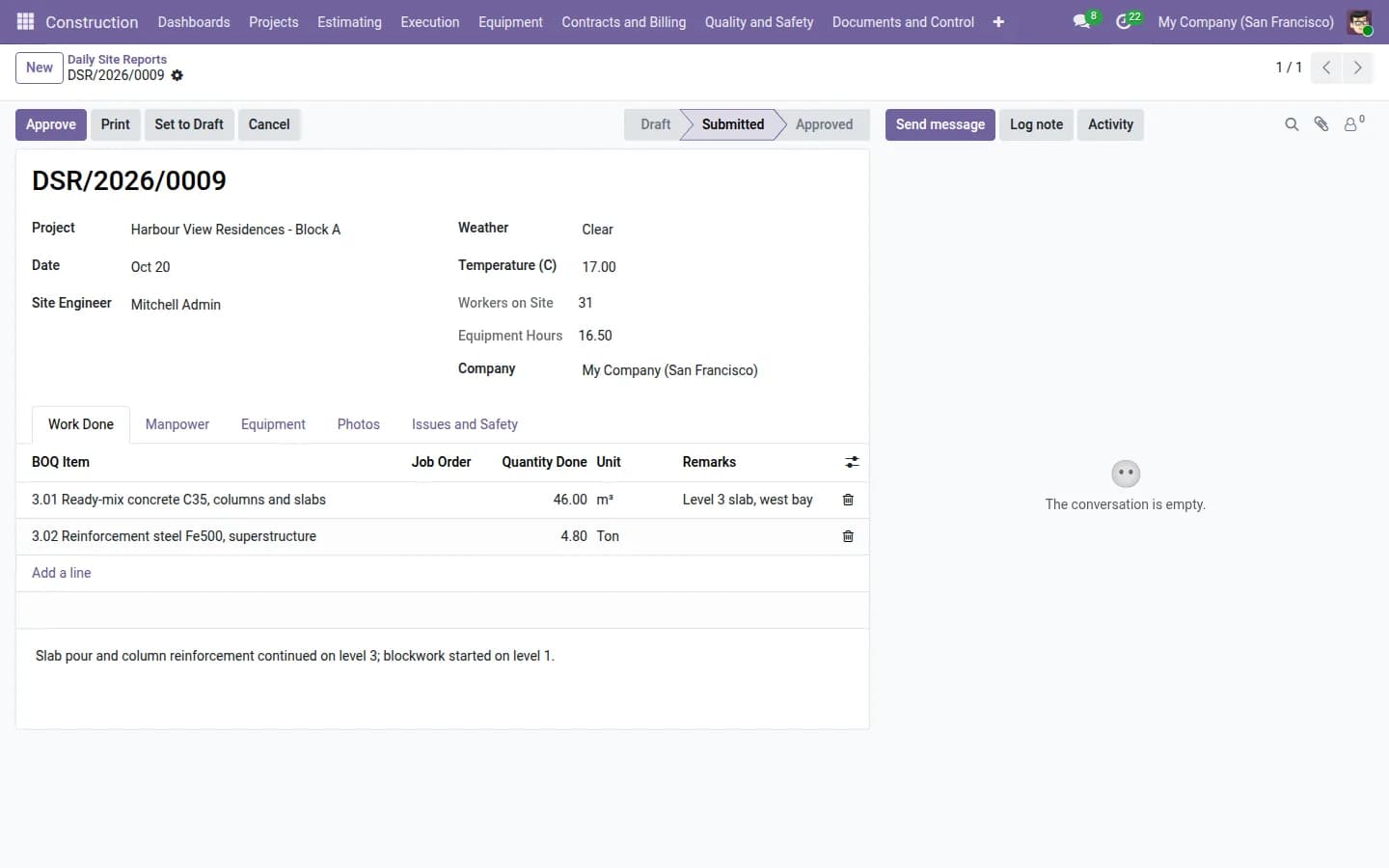
- The site diary, labour attendance and material requisitions are filled in on a phone, so the cost data comes from the site, not from the office a week later.
- Inspections and snags are tracked in the same system, so a back-charge can point to the snag that caused it.
- Clients can follow progress in their portal instead of asking for a weekly report.
Fiscal invoicing can stay in the system you already use. Many contractors keep a local accounting package for tax invoices and use Odoo for project cost, purchasing and billing control.
You can try this on a live demo with sample projects, and watch the walkthrough video, from the app page.
Frequently asked questions
Does it work on Odoo Community?
Yes. The Construction Management Suite is built for Odoo Community and also runs on Enterprise, for Odoo 16 to 20.
Can we keep our current accounting software for tax invoices?
Yes. Many contractors keep their local package for fiscal invoices and use Odoo for project cost, purchasing and billing control.
Can subcontractors be billed by percentage instead of measurement?
Yes. Each bill has a billing method: by percentage complete or by measured quantity.