What MCP is, why a call-any-method connector is risky for an ERP, and what to look for when you let an AI assistant read and act in Odoo.
- Every call should run with the signed-in user's own Odoo rights.
- Prefer focused business tools over a call-any-method connector.
- Keep approvals and an audit trace for anything that writes.
Sooner or later someone in your company asks: can we ask Claude or ChatGPT about our Odoo data? The answer is yes, and the standard way to do it is MCP, the Model Context Protocol. It is a common way for an AI assistant to call tools exposed by another system.
What matters for an ERP is not whether it connects, but what the assistant is allowed to do once it is connected.
The shortcut to avoid
The quickest connector exposes Odoo's generic API: read any model, write any field, call any method. It works in a demo. In production it means the assistant, and anyone who can prompt it, can do anything the API key can do. If that key belongs to an administrator, so can the assistant.
What to ask of an Odoo MCP server
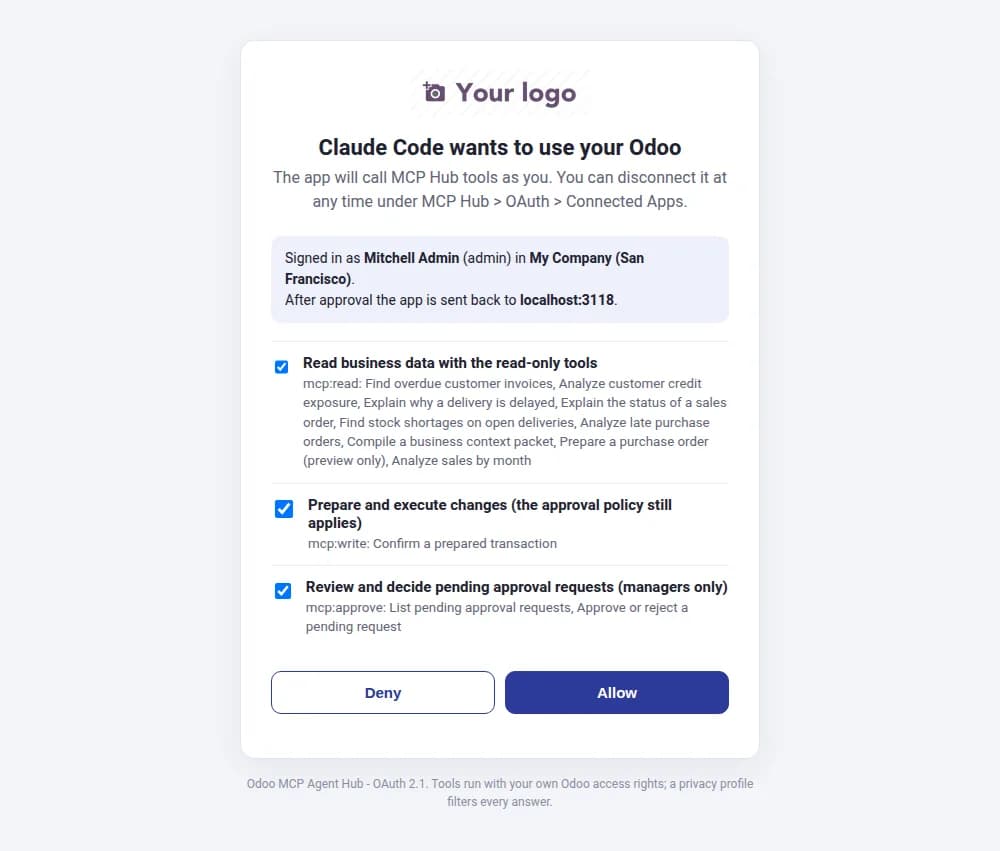
- Sign-in as the user. Each person signs in with their normal Odoo login (OAuth), and every call runs with that user's access rights. The assistant cannot see what the user cannot see.
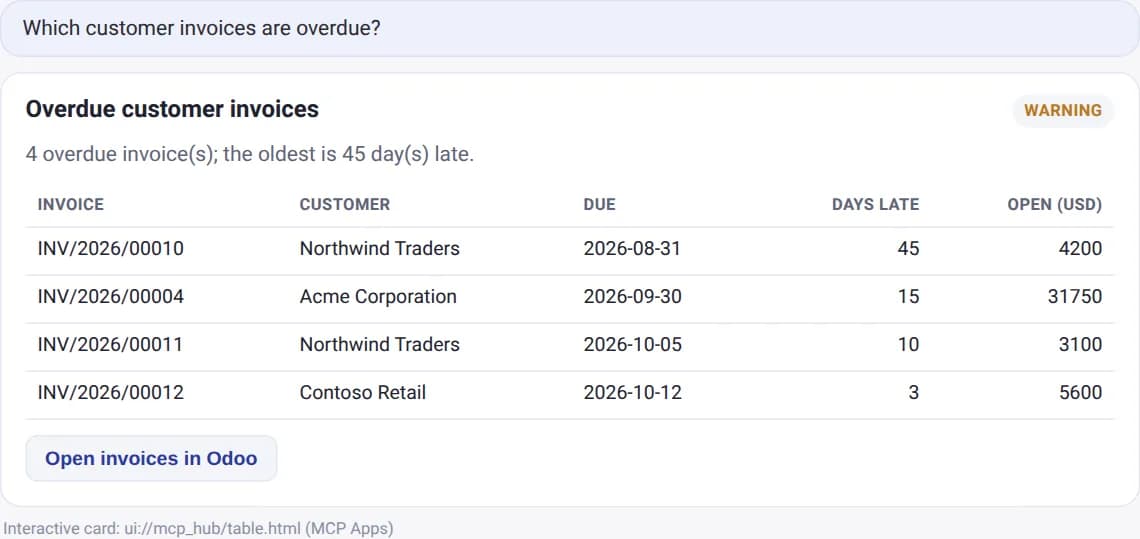
- Focused tools. Business actions such as "find overdue invoices" or "create a quotation" with validated inputs, instead of one tool that runs arbitrary code.
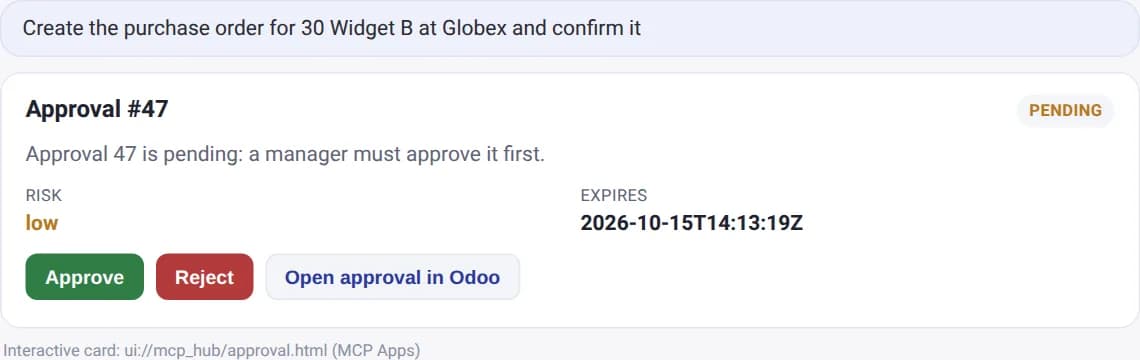
- Risk levels and approvals. Reading is low risk. Posting or deleting is not. A manager should be able to approve a risky action from inside the chat.
- Privacy redaction. Fields such as bank details or personal data can be hidden from what the model receives.
- An audit trace. Who asked, which tool ran, with which inputs, and what changed.
Where it runs matters too
An MCP server that runs inside your own Odoo keeps the data path short: the assistant talks to your Odoo, not to a third-party service that holds a copy of your data or your keys. It also means Claude.ai, ChatGPT, Microsoft Copilot, Claude Code and Cursor can all connect to the same server.
Start small
- Begin with read-only questions: sales this month, open purchase orders, stock below the reorder point.
- Add a few write actions with approval, such as drafting a quotation.
- Review the audit trace after a week. It shows what people actually ask for.
Our MCP Agent Hub follows this design: OAuth 2.1 sign-in, calls that run with the user's rights, focused tools with risk levels, privacy redaction, approvals from inside the chat and a full audit trace, hosted in your own Odoo.
The goal is not to give an AI more access than a new employee would get. Give it the same, and write down what it did.
Frequently asked questions
Which AI assistants can connect?
Claude.ai, ChatGPT, Microsoft Copilot, Claude Code and Cursor, through the standard MCP protocol.
Does our data go to a third-party server?
The MCP server runs inside your own Odoo. The assistant you use receives the answers to its tool calls, with redaction applied.
Can the assistant delete or post records?
Only through tools you enable, with risk levels and approvals, and only within the user's own rights.