
Invoices, payroll and fiscal years in Nepal run on the Bikram Sambat calendar. How to show, pick and print BS dates in Odoo without breaking the database.
- BS dates must appear everywhere a date appears, not only in one field.
- Keep the database Gregorian; make the calendar a display and input layer.
- Let each user choose BS or AD.
In Nepal, the official calendar is Bikram Sambat (BS). Government forms, tax filings, bank documents and most invoices carry BS dates, and the fiscal year runs on it. Odoo, like most software, thinks in the Gregorian calendar (AD). Staff end up converting dates in their heads or on a website.
Why it is more than a label
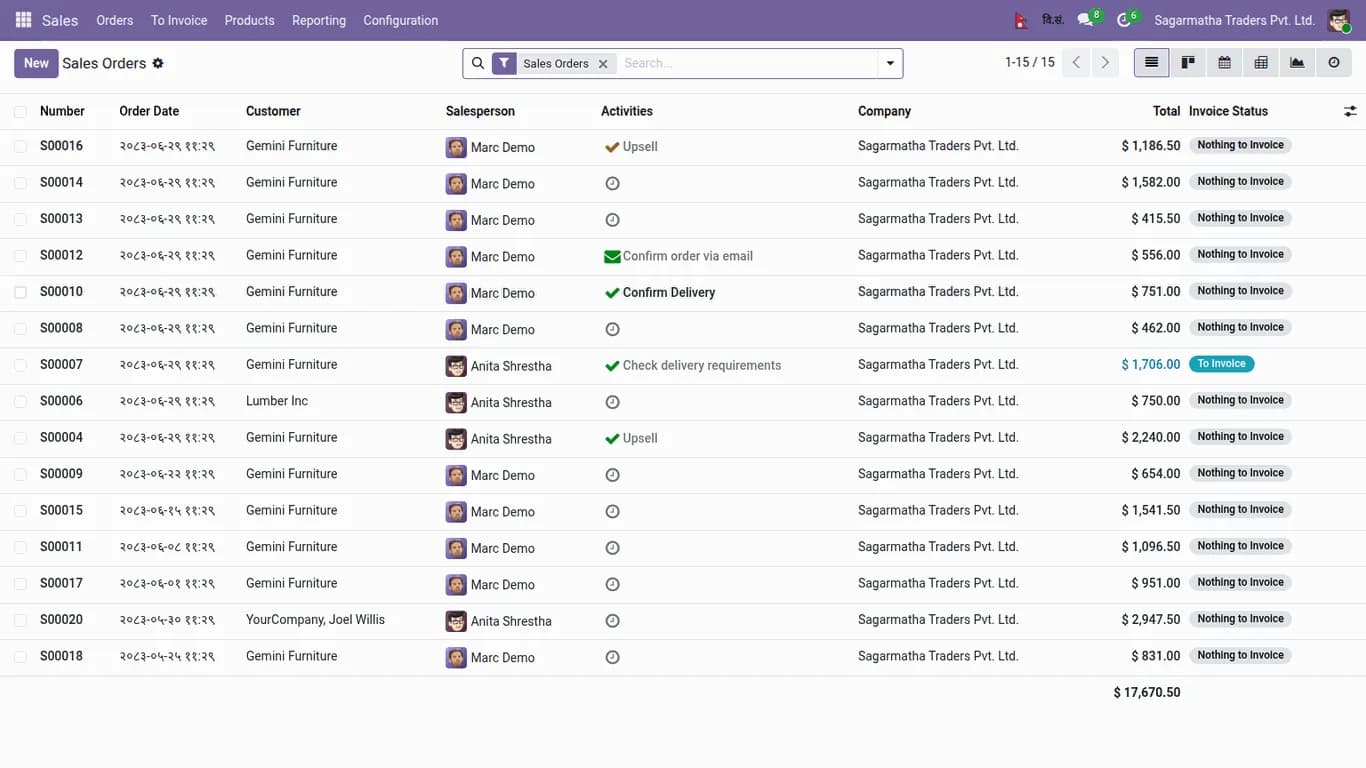
Converting a date once is easy. The difficulty is that dates appear everywhere in Odoo: forms, list views, chatter timestamps, activities, graph axes, group-by labels and printed PDF reports. If only the date field is changed, the rest still shows AD, and users stop trusting the screen.
What a good BS implementation needs
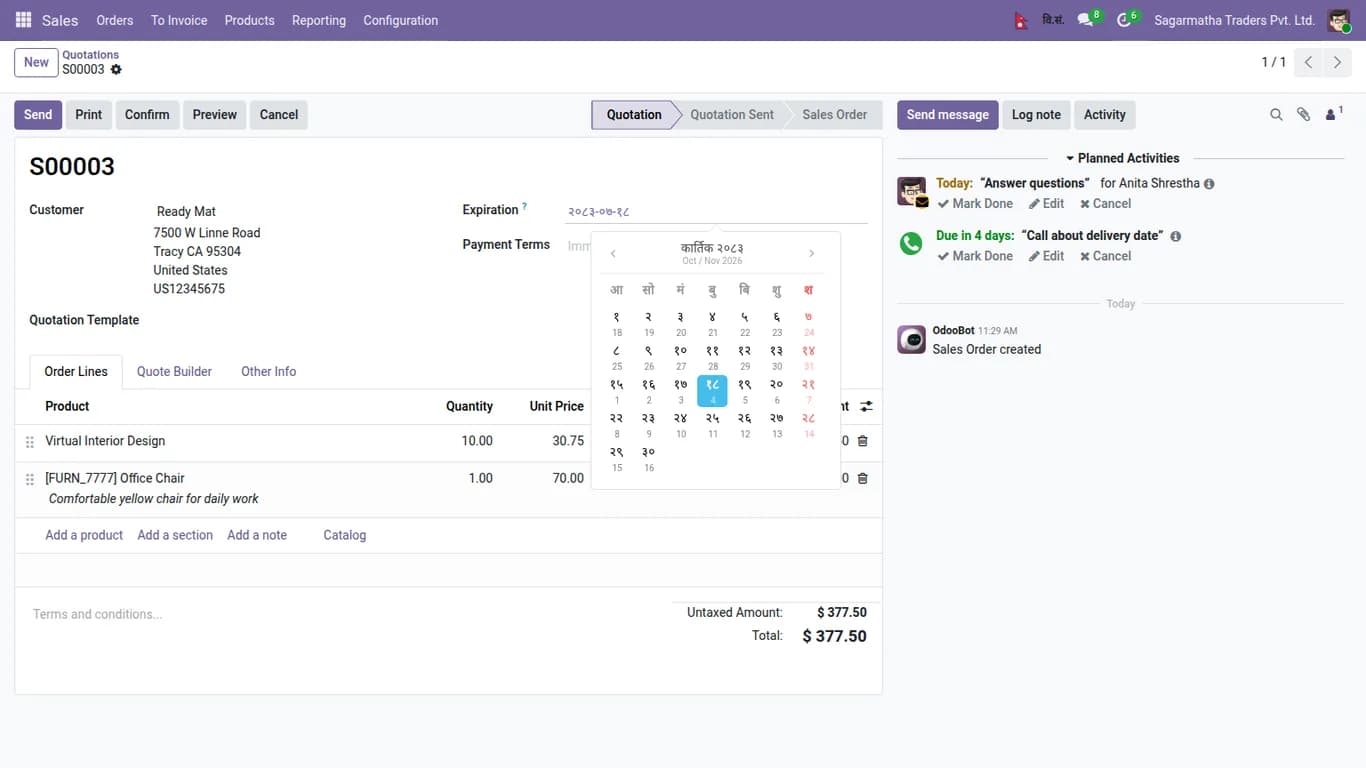
- A date picker that selects in BS, with time entry on date and datetime fields.
- Devanagari digits where the user wants them.
- BS dates in lists, forms, chatter, tracking, activities, group labels, graphs and PDF reports.
- A per-user choice between BS and AD, with a switch in the top bar, because some users and some reports still need AD.
- A built-in converter for BS to AD and AD to BS.
- Storage that stays Gregorian underneath, so reports, integrations and upgrades keep working.
The last point matters most. The database should keep ordinary dates, and the calendar should be a display and input layer. Anything else makes every other app and every Odoo upgrade a risk.
No extra Python library
A calendar that needs a package installed on the server is a problem on managed hosting. Our Nepali Calendar app ships with no Python library to install, so it works on Odoo.sh style hosting as well as your own server.
A Nepal look for the app launcher
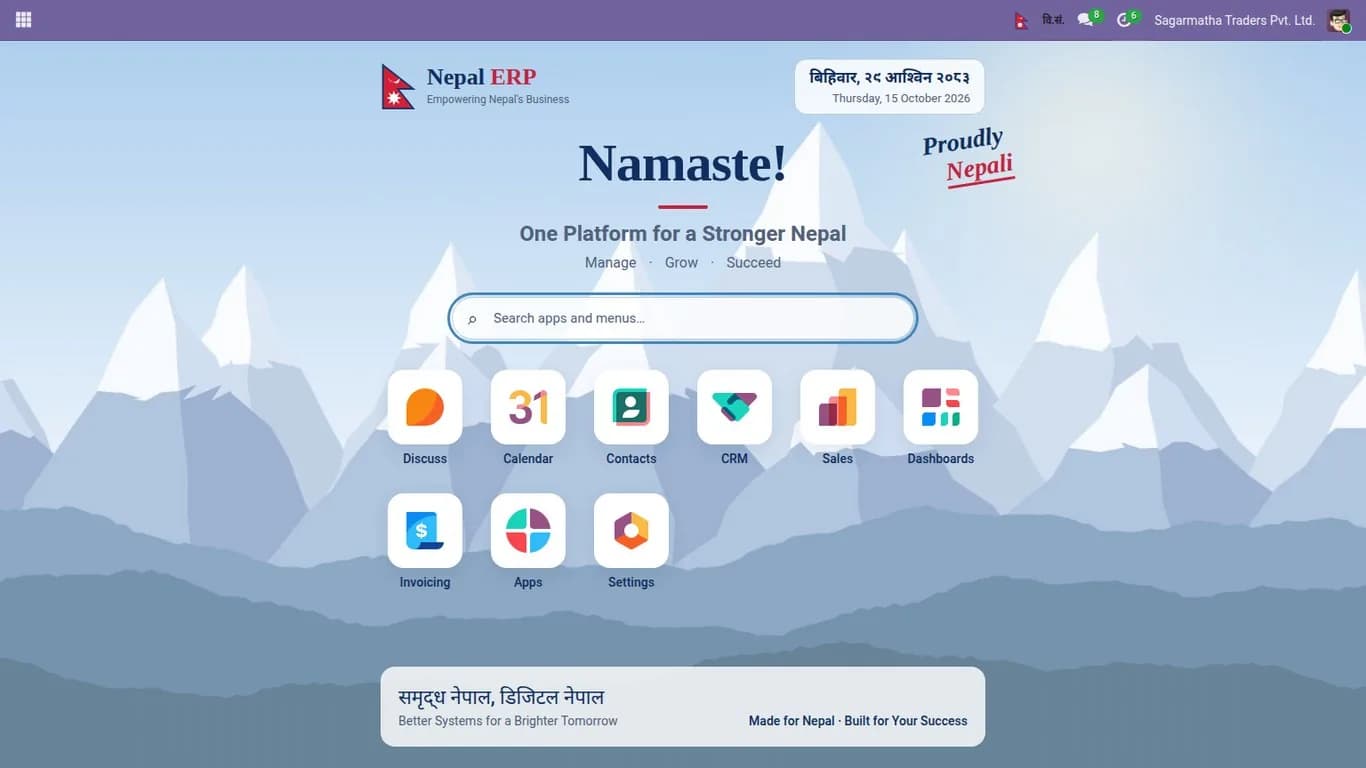
The app also includes an optional Nepal app launcher theme with Himalayan scenery and a dark mode, so the first screen your staff see feels like their own software.
You can try the Nepali Calendar on the live demo from the app page. It opens in Odoo with dates shown in BS, and a switch in the top bar changes between BS and AD.
Frequently asked questions
Are dates stored in BS in the database?
No. Dates stay Gregorian in the database, so reports, integrations and upgrades keep working.
Do printed reports show BS dates?
Yes. BS dates appear in PDF reports as well as on screen.
Can some users keep AD dates?
Yes. Each user chooses BS or AD, with a switch in the top bar.