An honest comparison for small and mid-size contractors: what spreadsheets do well, the five places they fail on a growing business, and what moving to Odoo changes.
- Spreadsheets are enough while one person owns the numbers.
- They fail on committed cost, versions, measurement, site data and control.
- Move one live project first, and keep the spreadsheet in parallel for a month.
Spreadsheets are how most contractors start, and for good reason. They are flexible, everyone knows them and they cost nothing. If you run a handful of small jobs with one site engineer and one accountant, you may not need anything else.
The question is when they stop being enough. In our experience it is not a size. It is the moment two people need to work from the same numbers.
Where spreadsheets work well
- One person owns the estimate and the cost sheet.
- Few projects at the same time.
- No subcontractors, or only a few simple ones.
- The accountant is happy to retype figures once a month.
The five places they fail
- Committed cost. A purchase order or work order is a promise. A spreadsheet that only lists invoices shows the cost after it is too late to change it.
- Versions. The estimate sent to the client, the budget on site and the file on the manager's laptop slowly become three different files.
- Measurement and billing. Subcontractor bills depend on measured quantities and what was certified before. Previously certified amounts, retention and advances must carry forward correctly bill after bill.
- Site data. Daily progress, labour and material issued come from the site, often on a phone. Copying them into a sheet by hand delays and distorts them.
- Control. Who changed that rate? Who approved that bill? A spreadsheet does not tell you.
What Odoo changes
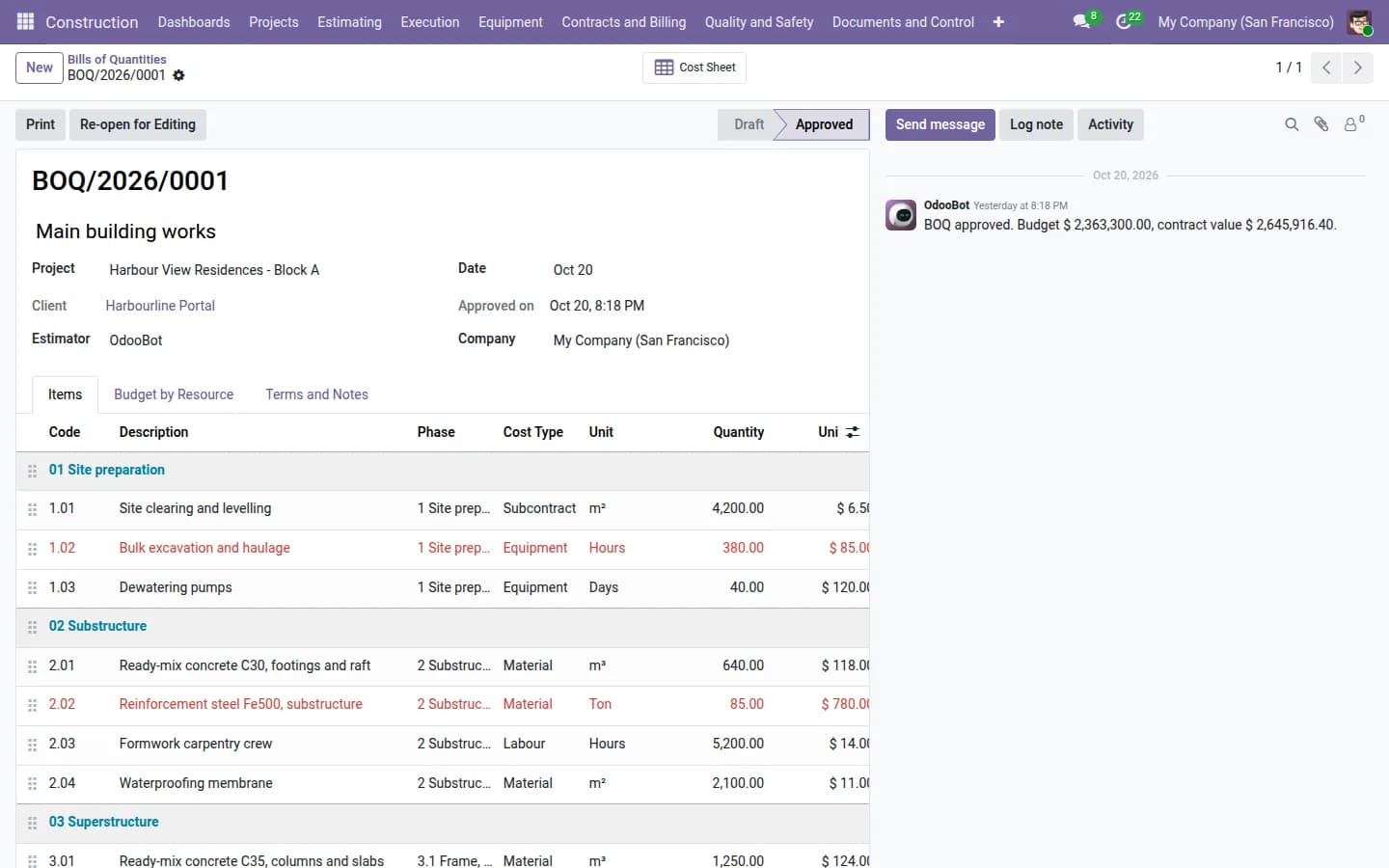
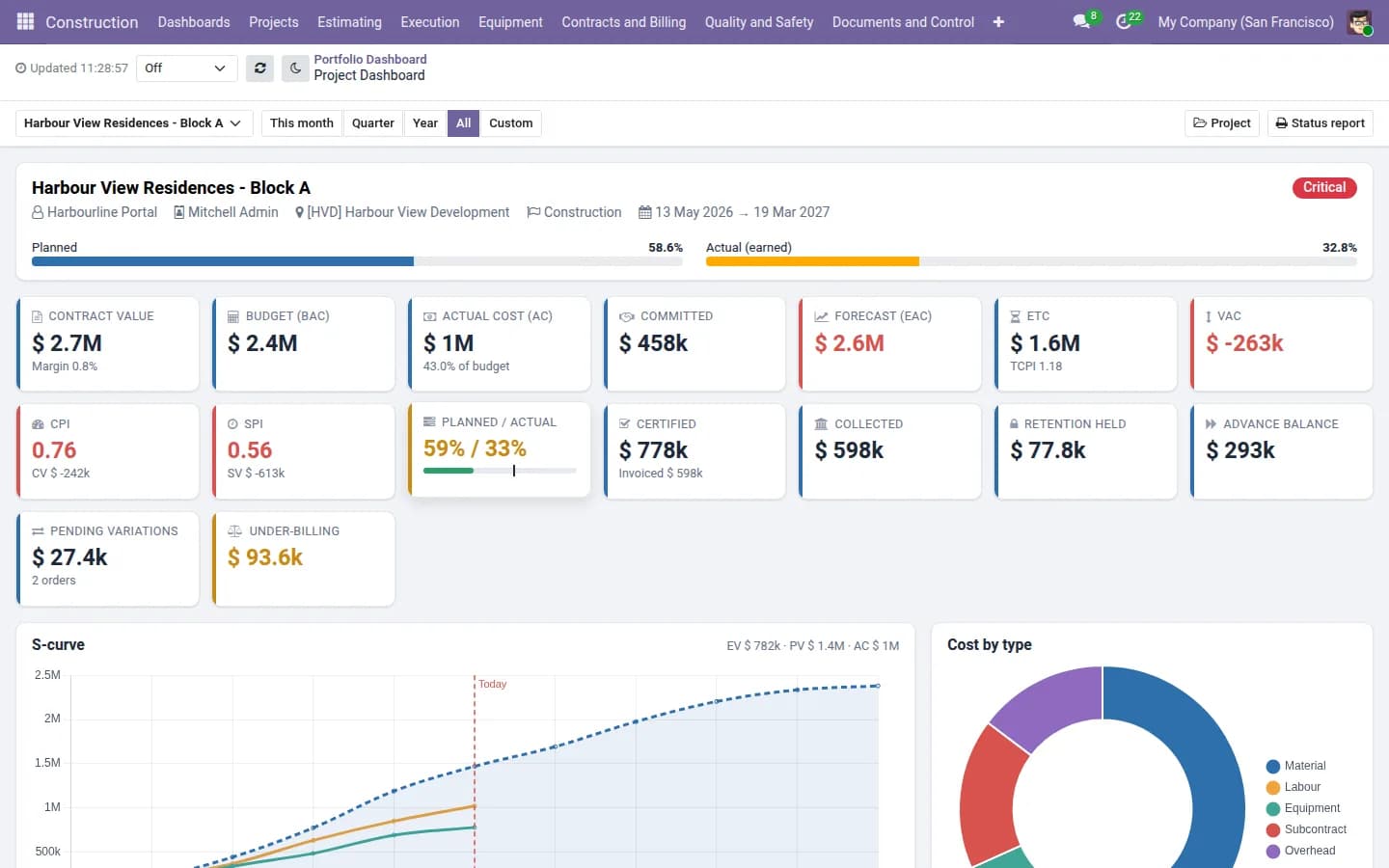
Odoo keeps projects, purchasing, inventory, accounting and people in one database. A contractor add-on adds the construction-specific parts on top: BOQ and rate analysis, budget against committed and actual cost, earned value, running account bills with retention and advances, subcontract work orders, a site diary and a client portal.
The estimate, the purchase order, the site requisition and the bill all point to the same project and the same BOQ item. That link is what a spreadsheet cannot give you.
A sensible way to move
- Pick one live project and load its BOQ.
- Run purchasing and subcontract bills for that project in Odoo for a month.
- Compare the project cost report with the spreadsheet you still keep in parallel.
- Move the next projects when you trust the numbers.
You do not have to replace your tax invoicing system on day one. Many contractors keep a local accounting package for fiscal invoices and use Odoo for project cost and billing control.
You can try the Construction Management Suite on a live demo with sample projects, or watch the walkthrough video, from the app page.
Frequently asked questions
Is Odoo too big for a small contractor?
Not necessarily. Start with projects, purchasing and the construction add-on, and add more later.
How long does the move take?
Start with one live project. Most of the effort is loading the BOQ and setting up purchasing.
Do we need to change our tax invoicing?
No. You can keep your current package for fiscal invoices.