
The daily work of a school office, from admissions to report cards, and how to bring it into one Odoo system where each person sees only their own area.
- One student record from enquiry to certificate removes retyping.
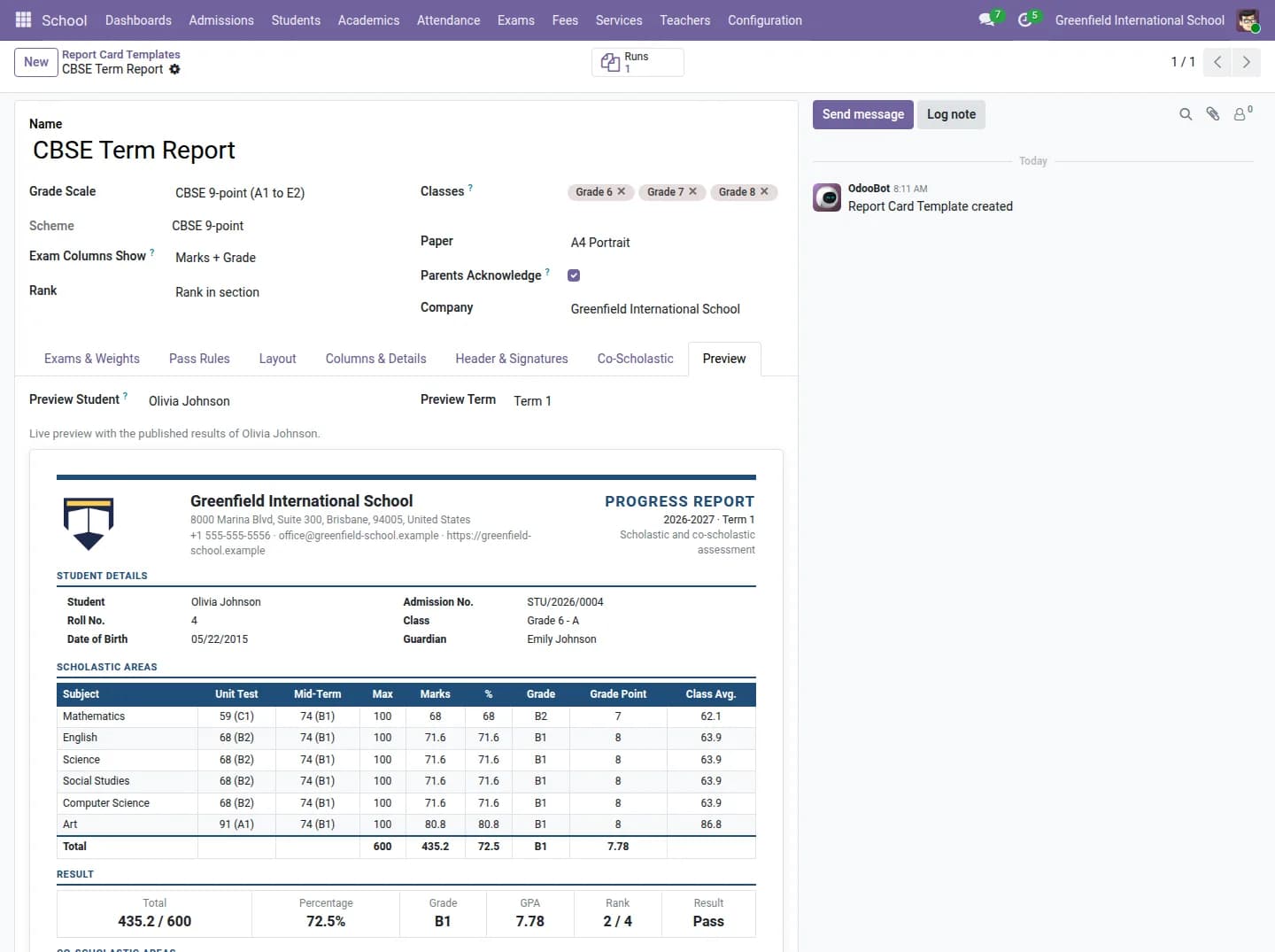
- Report cards are designed by the school, with live preview, and locked after moderation.
- Each role sees only its own menus, from teacher to accountant.
A school office usually runs on several tools at once. Admissions in one register, fees in an accounting package, marks in teachers' spreadsheets, the timetable on a wall chart and parent messages on WhatsApp. Every term, someone spends days copying between them.
A school does not need a different kind of software. It needs students, classes, money and communication to live in one database. These are the pieces that matter most.
One record per student, from enquiry to certificate
Admission enquiries become applications, then students with guardians, siblings, class and documents. When the record is one place, a sibling discount, an ID card or a transfer certificate is generated from it instead of retyped.
Report cards that teachers can design
Every board and every school wants a different layout. The Report Card Designer lets the school build its own with a live preview, using marks, grades, GPA, CBSE or IB style bands, custom bands, rank and remarks. Marks are entered by teachers, moderated, and then locked so a published result cannot quietly change.
Exams and timetable
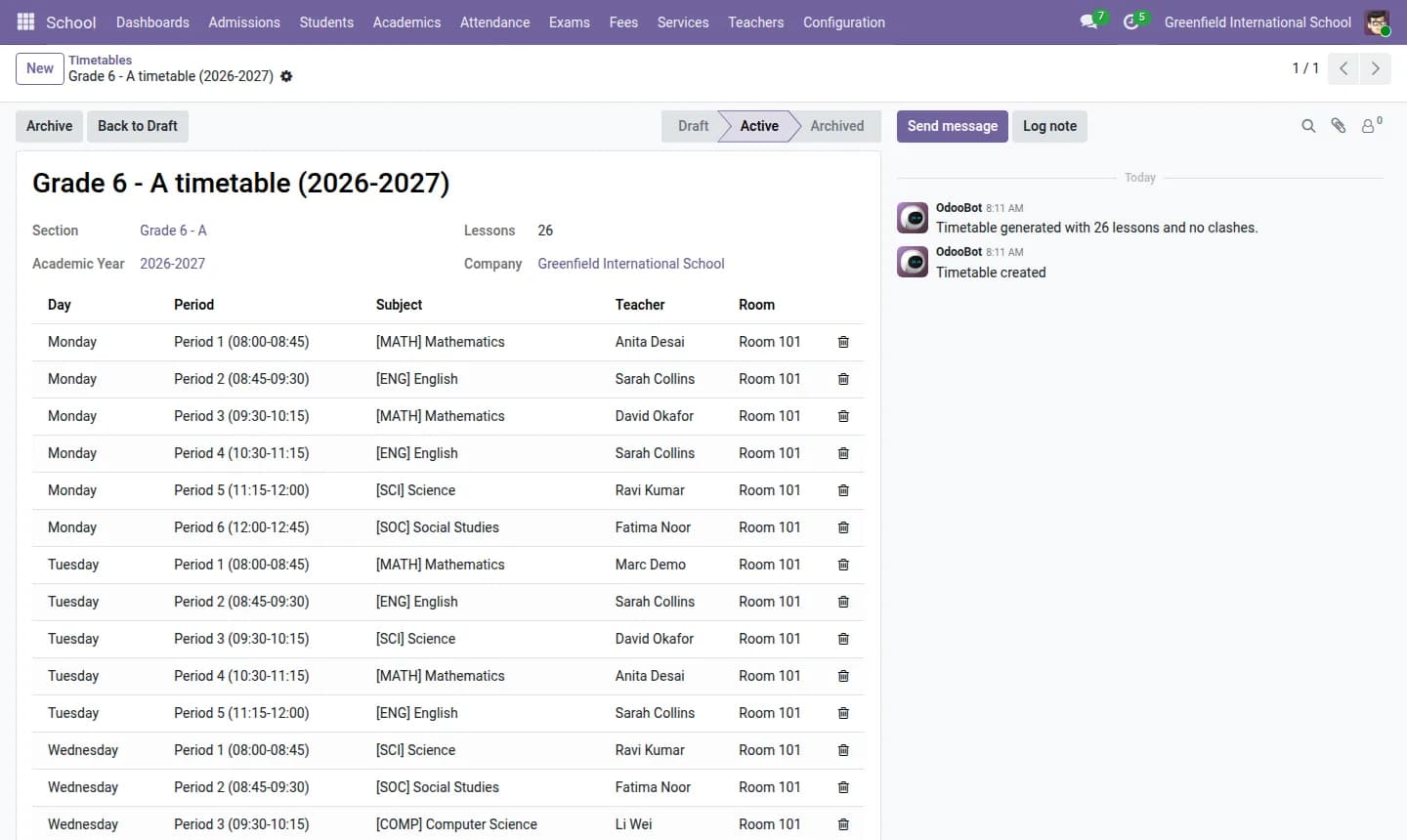
Exam scheduling covers seating plans and invigilation duties. A timetable generator builds the weekly timetable for classes and teachers, so clashes are found by the system, not by a teacher on Monday morning.
Attendance without paper
Teachers mark attendance in the app, students can check in at a kiosk with a QR code, and leave requests are handled in the same place. Parents see attendance in their portal.
Fees that match how parents actually pay
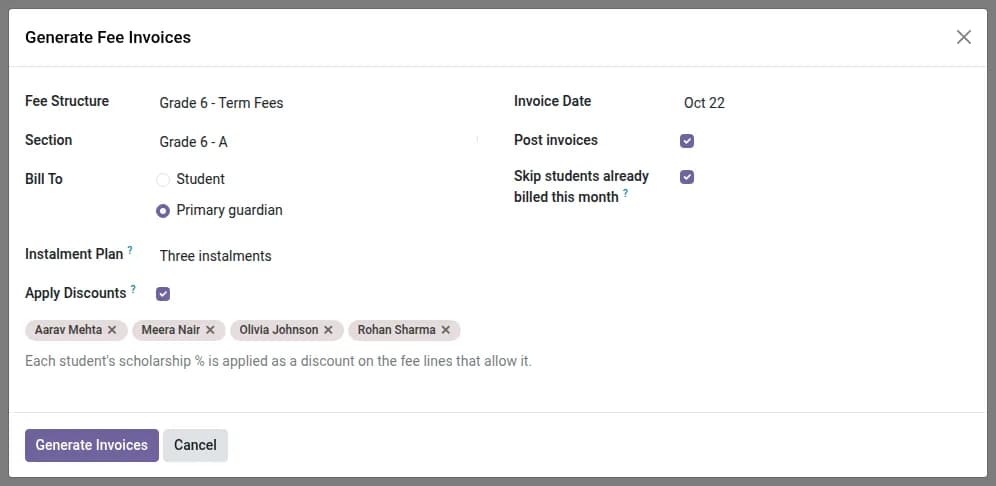
Fees can be split into installments, with sibling and merit discounts, and paid online. Because fees are Odoo invoices, the accountant has the receivables, receipts and reports in the same system as the rest of the accounts.
Everyone sees only their own area
A school has many roles: teacher, class teacher, principal, front desk, accountant, librarian, transport and hostel in-charge, and administrator. Each role opens only its own menus. The accountant does not see marks entry, and the front desk does not see fees.
The front desk
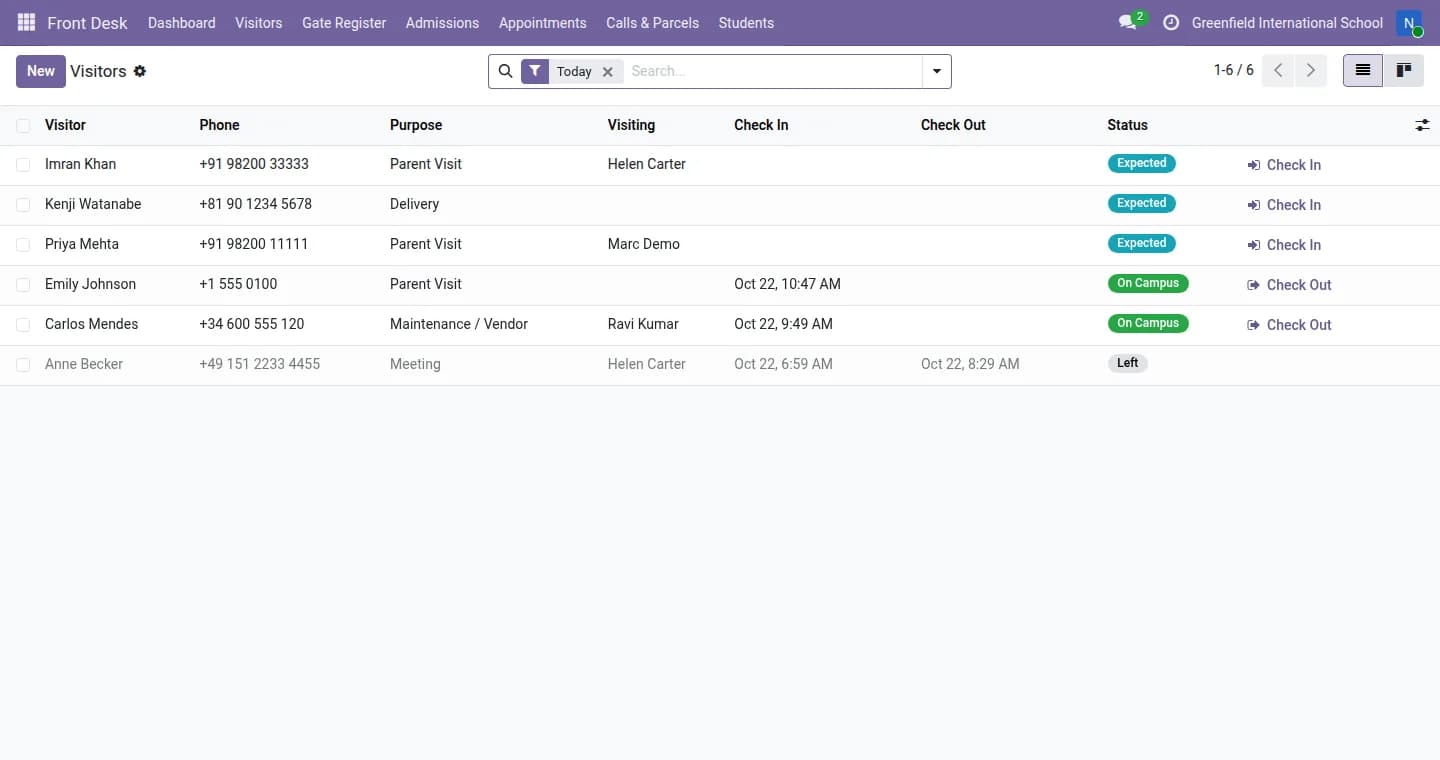
A dedicated front desk app covers the visitor register with badges and a blacklist, late arrivals, early pickup with guardian verification, gate passes, admission enquiries, appointments, calls, parcels and lost and found.
The School Management ERP also covers homework, quizzes, library, transport, hostel, syllabus coverage, certificates, ID cards and ten live dashboards. You can open the live demo from the app page and look at it as a school administrator, without logging in.
Frequently asked questions
Can we try it before buying?
Yes. The live demo opens without a login as a school administrator.
Does it support CBSE or IB grading?
Yes. Report cards support marks, grades, GPA, CBSE or IB style bands and custom bands.
Can parents pay fees online?
Yes. Parents see fees in their portal and can pay online.