
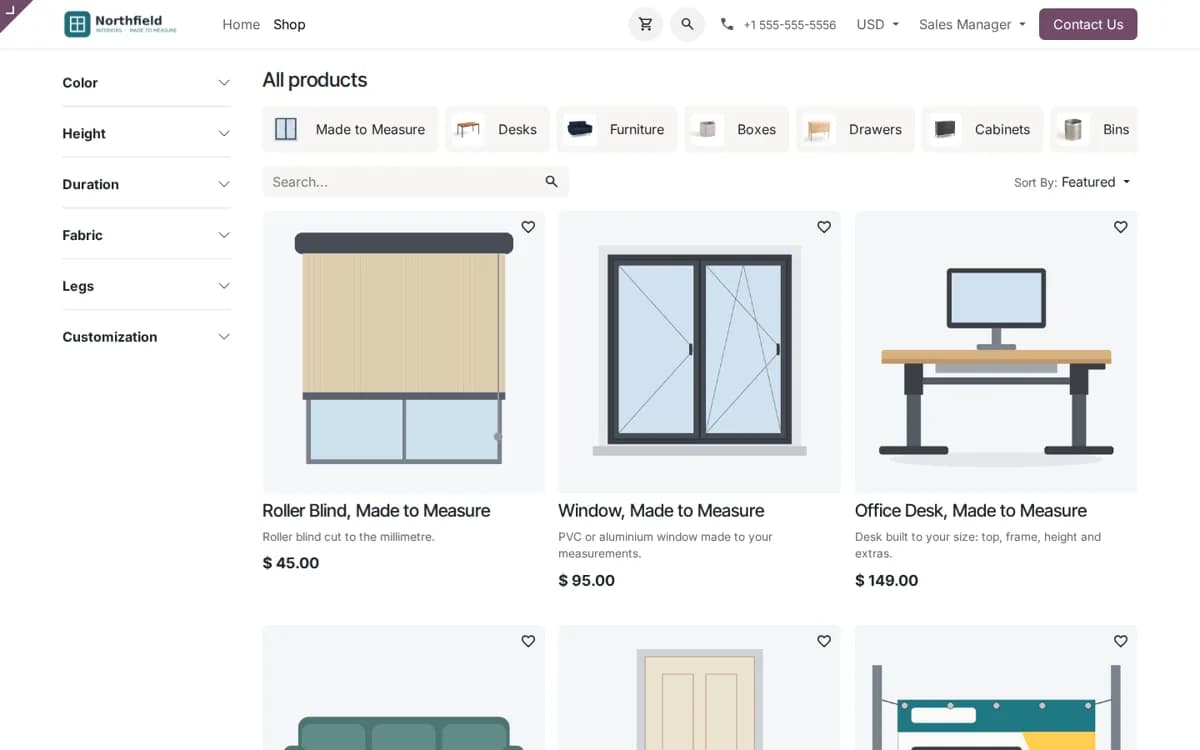
How a business that sells blinds, doors, windows, desks, sofas or signage can let customers configure and price a product on the Odoo website shop, add it to the cart at the right price or ask for a quote, and how sales handles the same configuration in the backend.
- Describe a made-to-measure product once, with its characteristics, prices and rules, instead of creating thousands of product variants.
- Customers configure on the product page with pictures, swatches and a live price, then add it to the cart at the configured price or request a quotation.
- Sales uses the same configurator on the quotation line, with change history, reuse of earlier configurations and a configuration PDF.
A made-to-measure product does not fit the normal online shop. A roller blind is sold by width and drop, an office desk by top size, material and frame, a door by size, finish, handle and glass. Each choice changes the price, and some choices do not go together. Odoo's product variants break down here: you cannot create a variant for every width in millimetres, and a variant cannot say that walnut is not available above two metres.
So many shops stop at a "request a quote" form, and a salesperson works out every enquiry by hand. CPQ (configure, price, quote) puts the configuration and the price on the product page itself.
One configurable product instead of thousands of variants
In CPQ & Product Configurator you describe the product once: its characteristics (width, drop, fabric, frame colour, handle, glazing), the values of each, and the price of each value. Measurements are entered as numbers, and the price can be per square metre or per metre, so a 1,370 mm blind is priced exactly. Quantity price breaks give a project price from 10 or 20 pieces.
Rules that keep every configuration buildable
Rules hide, block or compute options. A fixed window has no handle, so the handle disappears. A fire-rated door cannot be glazed, so glass is blocked. Triple glazing is not offered above a sash size. The fabric area or the number of eyelets on a banner is computed from the size. The customer only ever sees combinations you can make.
Configure on the product page
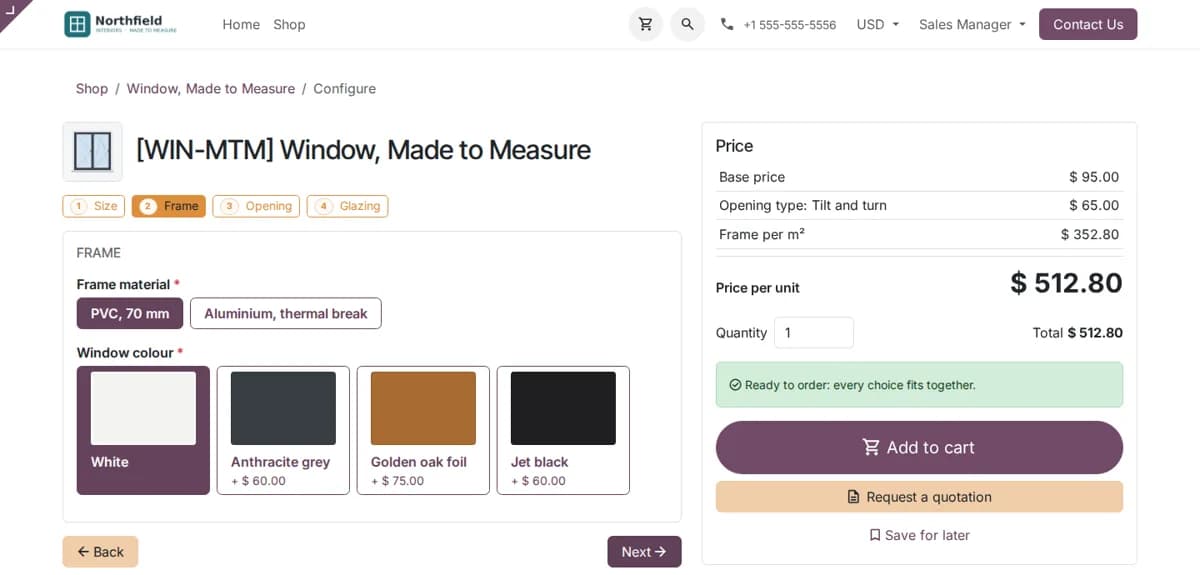
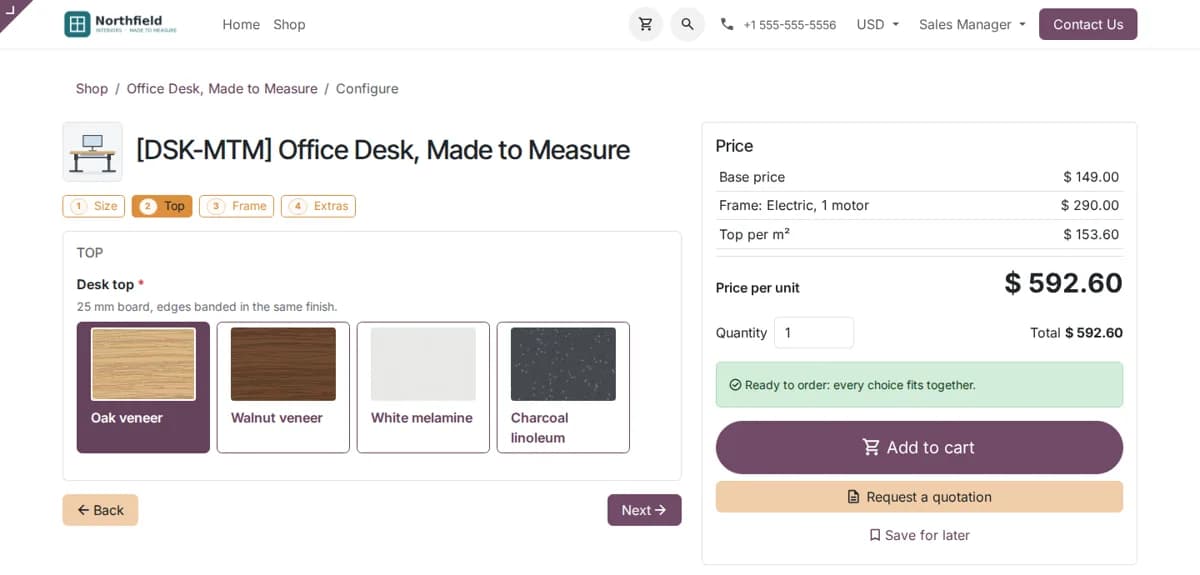
With CPQ for Website, a configurable product shows Configure instead of Add to cart. The customer goes through the choices one page at a time or step by step, with pictures for each option and colour swatches, and sees the price build up on the right as they choose. A clear message says when every choice fits together.
Add to cart at the configured price, or ask for a quote
When the configuration is complete the customer adds it to the cart at the configured price, and the full configuration is written on the order line, so the order that reaches you says exactly what to build. For larger or project orders the customer can request a quotation instead, and sales follows up on a normal Odoo quotation that already carries the configuration.
Saved configurations in the customer portal
Signed-in customers can save a configuration for later. Their saved configurations are listed in the portal under My Configurations, with a PDF, and they can change one and order it later. A salesperson can also prepare a configuration and send the customer a link to it.
The same configurator for sales in the backend
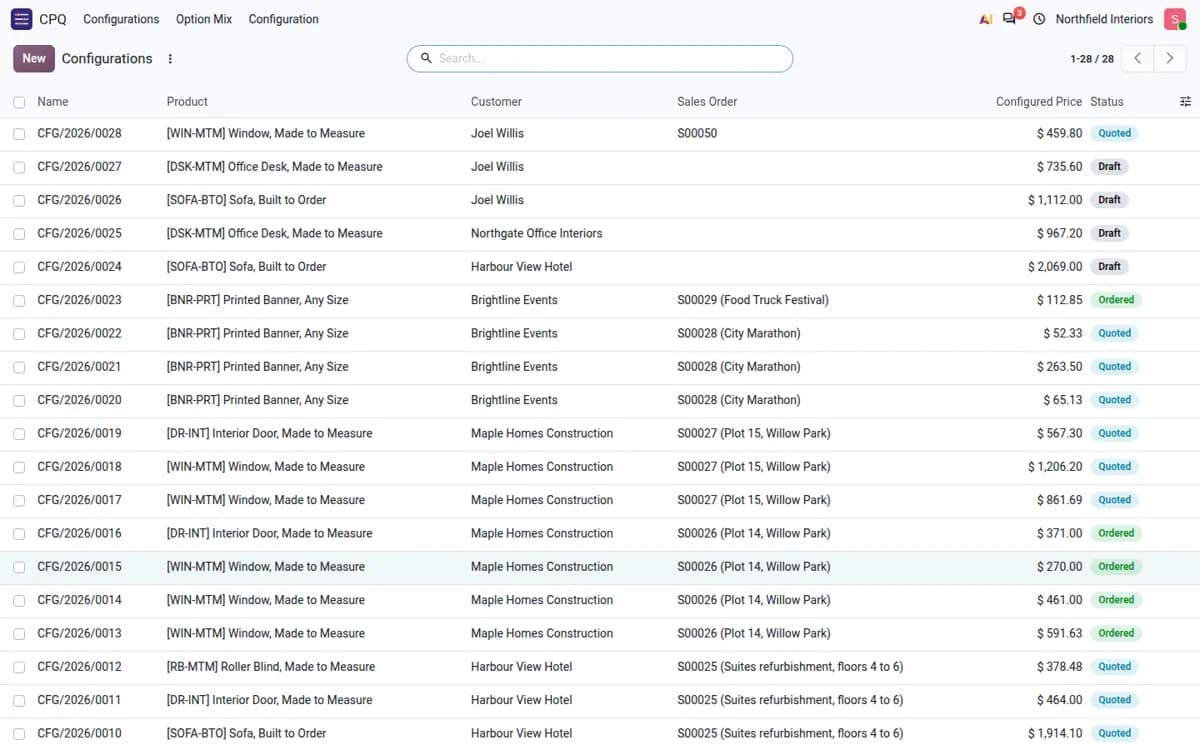
Sales uses the same configurator on the quotation line in Odoo Sales, with the price build-up visible. Every change to a configuration is kept in its history with the price impact, and earlier configurations can be reused for a repeat order. The configuration PDF goes to the customer or to production.
- Blinds and curtains: width, drop, fabric, operation, mounting.
- Doors and windows: size, opening type, finish, handle, glazing.
- Furniture: desk top, frame and extras; sofa layout, fabric and legs.
- Signage and print: size per square metre, material, finishing, set-up cost.
Before you go live, model one or two of your real products, try the edge cases (smallest and largest sizes, the combinations you never make) and compare the prices with your current price list. Then publish them on the website.
Frequently asked questions
Which Odoo versions are supported?
Odoo 16, 17, 18, 19 and 20, Community and Enterprise. CPQ for Website needs CPQ & Product Configurator and the Odoo eCommerce app.
Do I need product variants for every size?
No. Measurements are entered as numbers and priced per square metre, per metre or by a formula, so one configurable product covers every size.
Can customers save a configuration and order it later?
Yes. Signed-in customers save configurations in the portal under My Configurations, with a PDF, and can change and order them later. Sales can also send a configuration link to a customer.
Can we keep some products quote-only?
Yes. The customer can request a quotation instead of buying, and sales continues on a normal Odoo quotation that already has the configuration on the line.